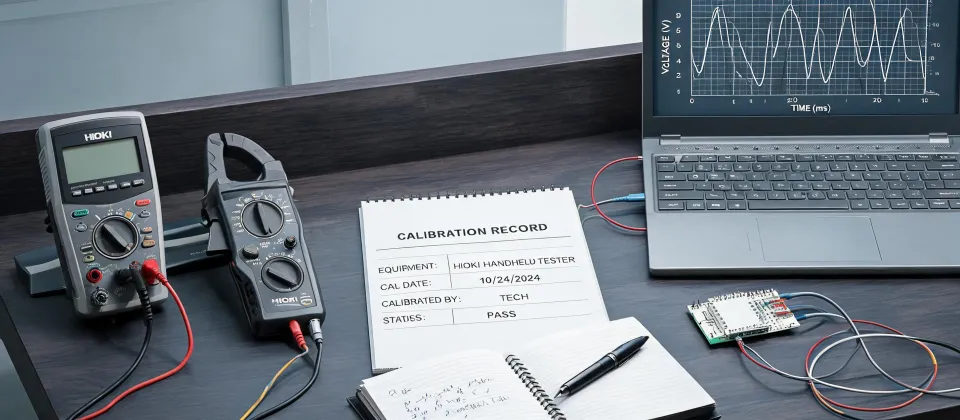
If you've ever spent three weeks running a stability study only to find half your data points are garbage—you know the feeling. I sure do. In 2022, I was managing a pharmaceutical storage validation project. We had 12 incubators, each set to different temperature profiles, and we needed continuous logging for 30 days. I bought a batch of cheap USB data loggers from a generic supplier. The price was right. The specs looked fine. What could go wrong?
Everything.
The Surface Problem: Data That Didn't Make Sense
Two weeks into the study, I pulled the logs from the first incubator. Temperatures were jumping around like a bad EKG—spikes of 5°C above setpoint, then drops below. My heart sank. We checked the incubator itself: calibrated, running stable. The issue was the logger. But here's the thing: the logger's own specs said ±0.5°C accuracy. So why was it reporting ±2°C swings?
I made the classic mistake of trusting a spec sheet without understanding the real-world limits. That's the surface problem: most people think a data logger is a data logger. You plug it in, it records, you get numbers. But the numbers are only as good as the sensor match and the logging environment.
Digging Deeper: The Three Hidden Killers of Logging Accuracy
After that $3,200 mistake (redo costs, consumables, overtime), I went deep. I tested six different loggers side by side in the same chamber. The results were eye-opening. Here are the three things nobody tells you:
1. Internal vs. External Sensors – A Huge Difference
That cheap USB logger had an internal thermistor buried in its plastic case. The case itself acts as a heat sink. So the reported temperature was always a few degrees behind the air. In a dynamic environment (like a fridge door opening and closing), the lag caused the spikes I saw. The Hioki LR8515 I later switched to uses external thermocouple probes—separate from the logger body—so the sensor sits right where you need it. The difference in response time was night and day.
2. Resolution vs. Accuracy – Not the Same Thing
One logger advertised 0.1°C resolution. Sounds great. But its accuracy was ±1.0°C. Resolution is just how many decimal places it can display. Accuracy is how close those numbers are to the real temperature. I now check two specs: accuracy over the full range (not just at 25°C) and long-term drift. According to ASTM E2877-18, temperature monitoring devices should have an accuracy of at least ±0.5°C for pharmaceutical storage. Our cheap loggers didn't come close.
3. Data Integrity – Can You Prove It?
When the FDA or an auditor asks for raw data, you need more than a CSV file. You need traceability: time stamps, serial numbers, calibration certificates. The Hioki LR8515 logs metadata alongside measurements. It also lets you export with a hash to detect tampering. That's a game-changer if your data ever gets challenged.
"The vendor who said 'this isn't our strength—here's who does it better' earned my trust for everything else."
To be fair, not every lab needs that level of rigor. If you're just logging room temperature for a weekend, a $20 logger might be enough. But if your data drives decisions—release testing, stability studies, equipment validation—then cutting corners on logging is false economy.
The Real Cost of Bad Logging
Let me put numbers on it. That first failure cost $3,200 in redo labor and consumables. But the indirect costs were worse: the delay pushed our project timeline by three weeks, which meant we missed a regulatory submission window. That's not on the P&L, but it hurts. Over the next 18 months, we caught five more potential disasters because we upgraded our logging gear. The Hioki LR8515 cost about $800. Best money we ever spent.
And here's the irony: the cheap loggers weren't even that cheap. After replacing batteries, dealing with corrupted SD cards, and manually merging data from 12 separate files, the total cost of ownership was higher. The Hioki comes with software that aggregates all channels automatically. No manual merging. No surprises.
The Fix: Three Steps to Reliable Logging
I'm not going to write a long tutorial. You already understand the problem. So here's the short version of what we do now:
- Match the sensor to the environment. Use external probes for dynamic conditions. Thermocouples for high temperatures. RTDs for high accuracy.
- Verify accuracy at your operating point. Don't trust the spec sheet. Run a 24-hour comparison against a calibrated reference.
- Use a logger with built-in verification. The Hioki LR8515 has a self-check function. It also logs calibration reminders. That's a feature every lab should demand.
One more thing: if you work with centrifuges or pipettes (like cleaning Eppendorf pipettes), you might be tempted to log the temperature inside the rotor or the water bath. That's a different challenge—small spaces, high g-force. Most data loggers won't survive a centrifuge. Hioki makes tiny standalone loggers (like the LR5001) that can handle those environments. But I'll save that story for another day.
The Bottom Line
Look, I'm not saying Hioki is the only answer. There are other good brands out there. But I learned the hard way that a data logger is not a data logger. The right tool for your specific use case makes all the difference. And the vendor who admits their $20 model is fine for a garage but not for a GMP lab—that's the vendor I trust.
Prices as of January 2025: Hioki LR8515 starts around $800 with probes. Compare that to the $3,200 mistake I made. Do the math.